1x12 MTB / Gravel Rear Derailleur installation and adjustment guide
1x12 wireless MTB and gravel derailleurs are relatively easy to install. Some parts can be confusing, so here's a quick guide.
This guide applies to these rear derailleurs:
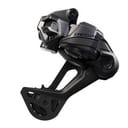
- XTR RD-M9250 SGS / GS / M9260-11L / M9260-12
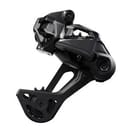
- XT RD-M8250 SGS / GS / M8260-11L / M8260-12
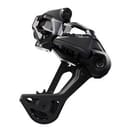
- Deore RD-M6250 SGS / M6260-11L / M6260-12
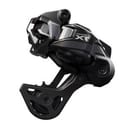
- GRX RD-RX827 / RD-RX717-SGS
Tools and prerequisites
Before you start, make sure you have these tools nearby:
- Torque wrench (8-10 Nm - Shimano Torque Chart / (mirror))
- 2mm and 5mm hex keys.
- TL-EW300 Cable Plug Tool (* for e-bikes only)
And yes, you can install the rear derailleur without a torque wrench, but since you're working on relatively expensive bikes, you probably have one - so use it!
Want to know what tools I use? I have listed them on my Amazon page.
Charge the battery, pair the derailleur
(This step does not apply to e-bikes, those are connected by wire and don't have a derailleur-mounted battery)
Before going any further, I like to make sure the battery is charged and installed, and that the shifter and derailleur are paired.
I've written a page on pairing 1x12 Wireless Di2 derailleurs and shifters, so be sure to complete those steps, and you're good to go.
Secure the derailleur to the frame
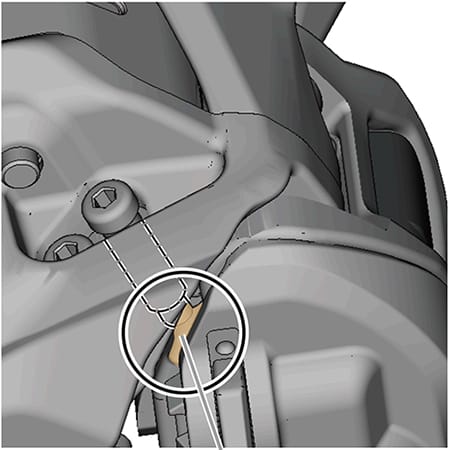
To get started, take your rear derailleur and your 5mm hex key. Insert the derailleur B-axle into the frame's derailleur hanger, and tighten it.
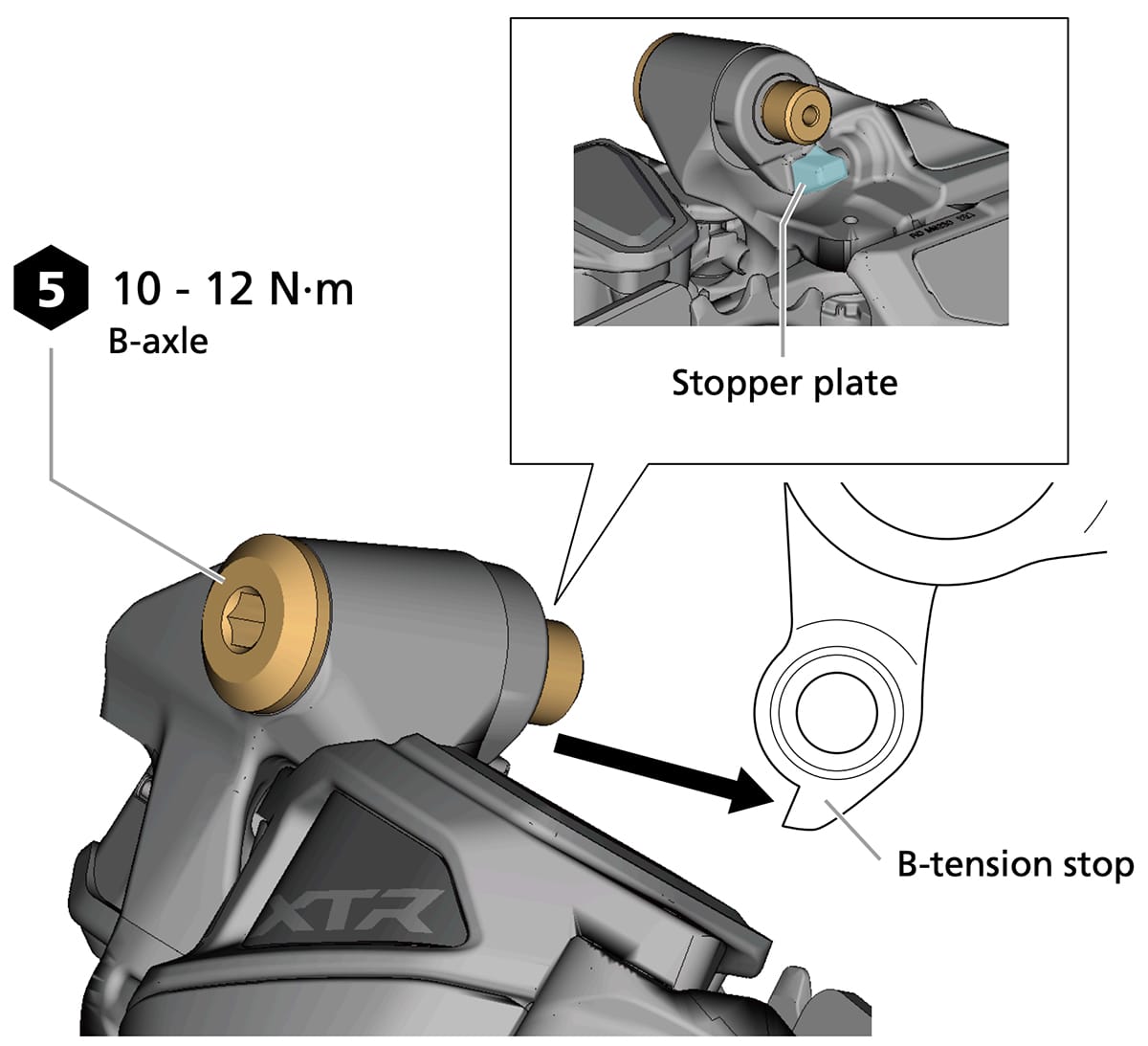
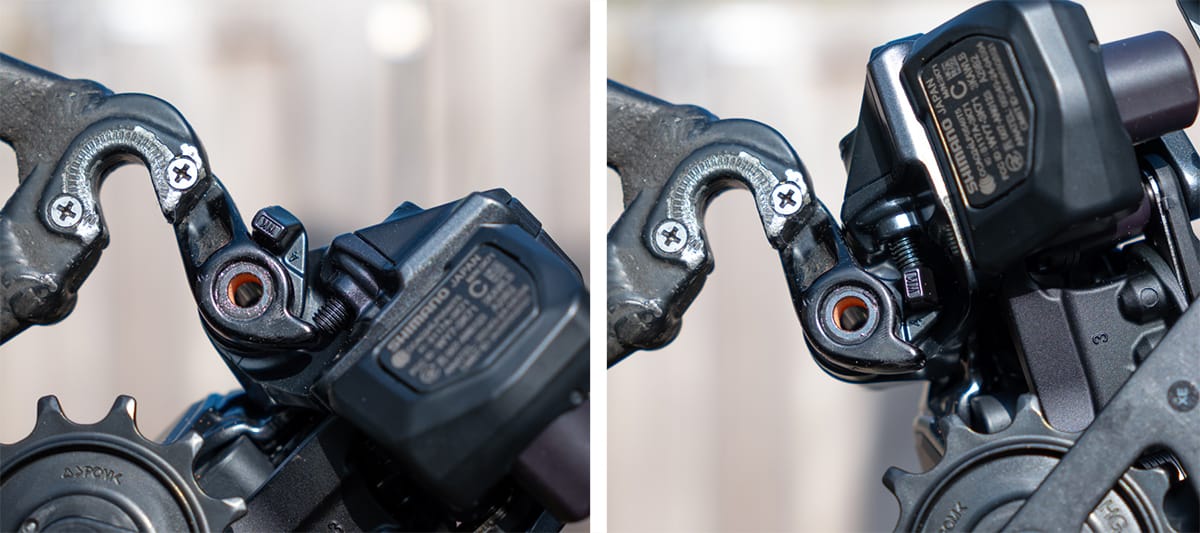
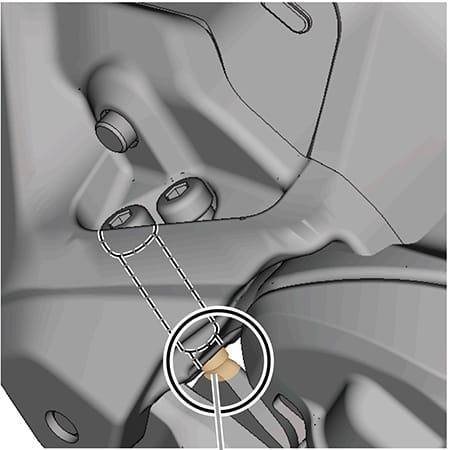
When tightening the B-axle, make sure there is no gap between the rear derailleur stopper plate and the tab on the derailleur hanger - like in the image below:
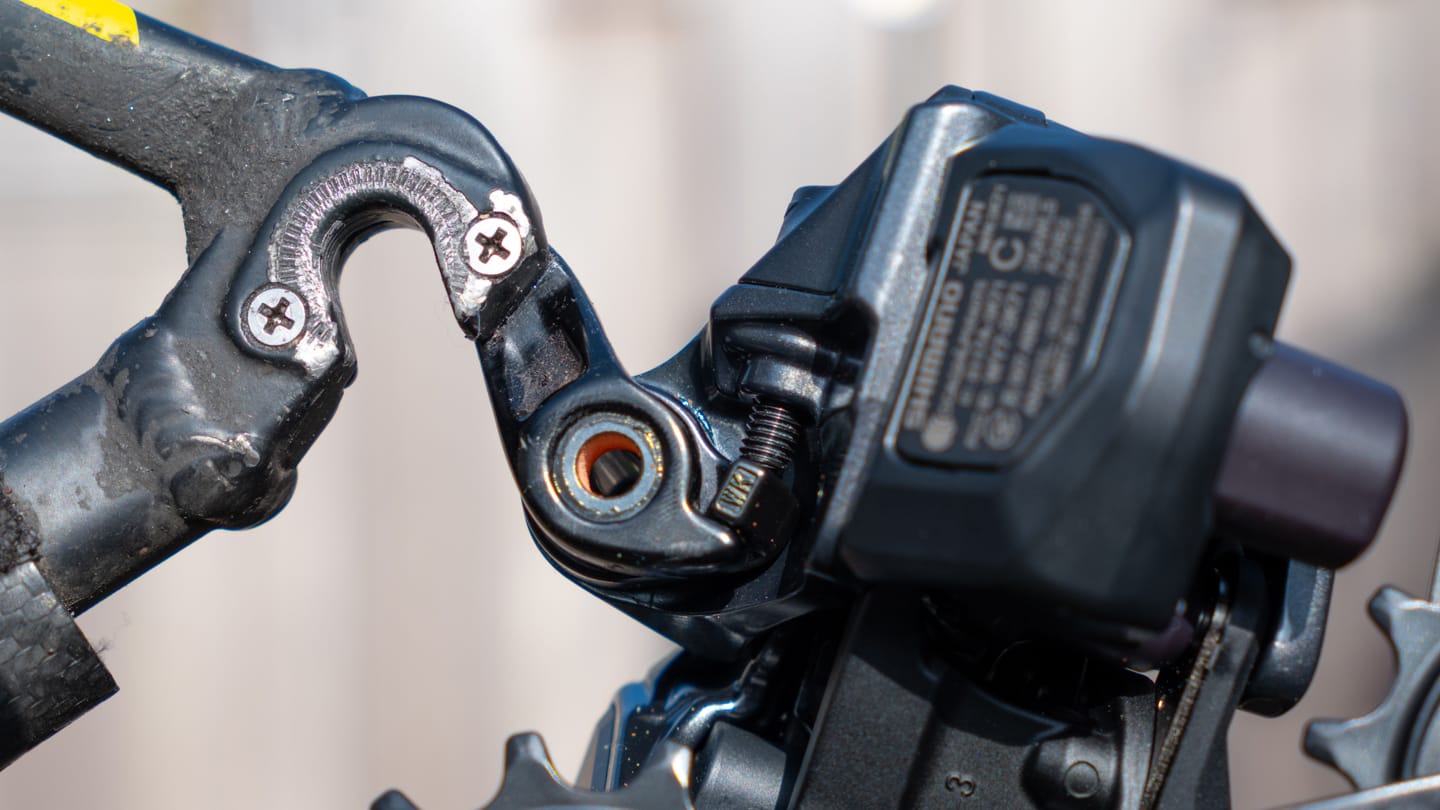
And this is how it should not be done:
E-Bike: Install the wire
If you're installing one of the e-bike rear derailleurs, this is when you connect the SD300 wire.
To do so, you'll first slide the protective sleeve and plug cover over the wire, then remove the derailleur electric wire cover, and connect the wire using the TL-EW300 Cable Plug Tool.
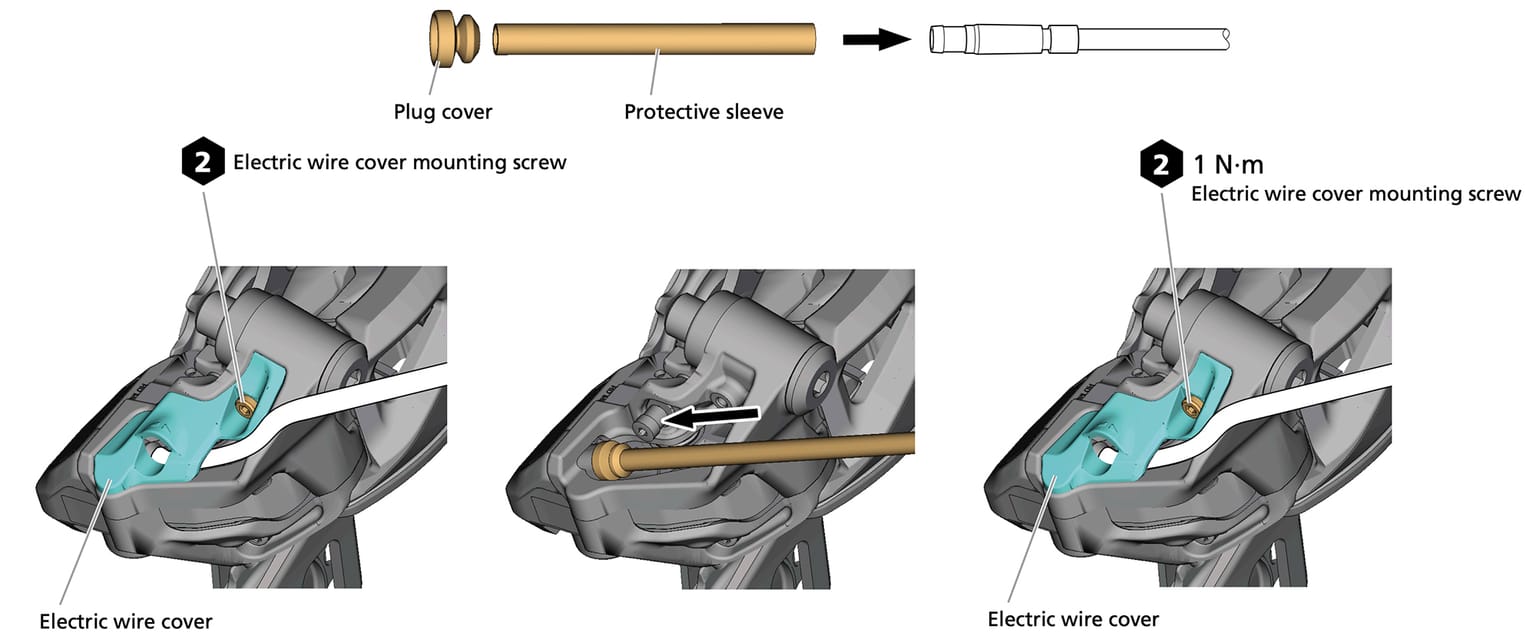
With the wire connected, place the derailleur wire cover back in its place, and that's it!
Set up and Adjust the derailleur
We're almost ready to set up the derailleur B-gap and micro-adjust the rear derailleur.
Before we do that though, make sure your chain is correctly sized, and route it through the derailleur and on the front chainring.
Adjust the B-screw
In this step we'll set the gap between the upper pulley (guide pulley) and the cassette. We do this by adjusting the B-screw.
First shift the chain to the largest cassette sprocket. Now look at the derailleur plate from behind. Right above the guide pulley - the top pulley - you'll see a LOW marking.
We need to align this with the tip of the tallest tooth on the largest sprocket.
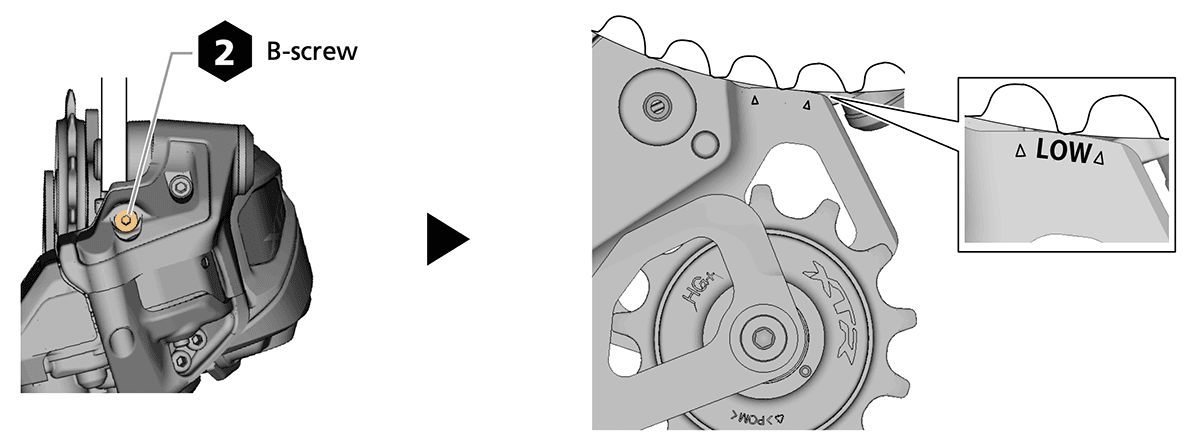
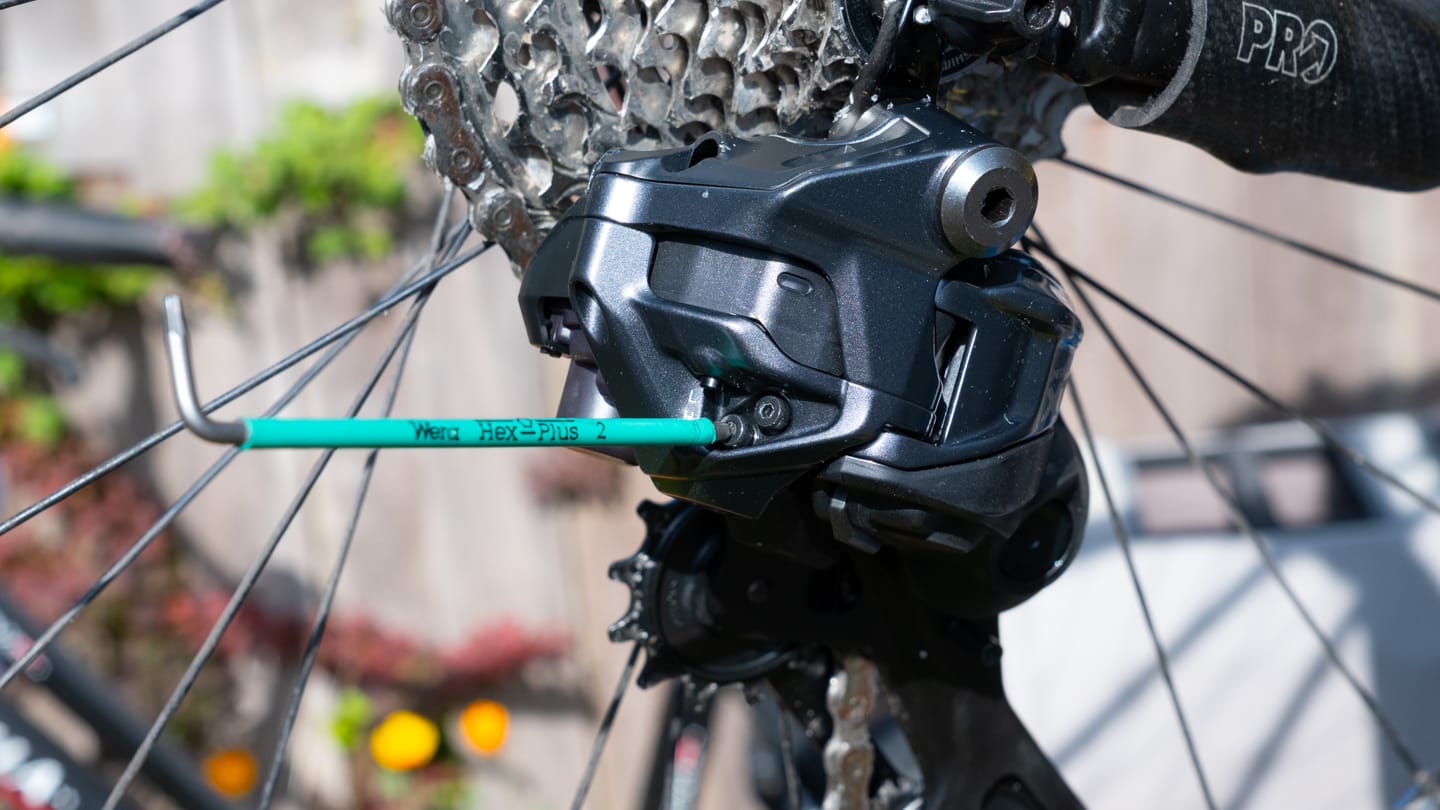
To do so, take your #2 hex key and locate the B-screw on the derailleur.
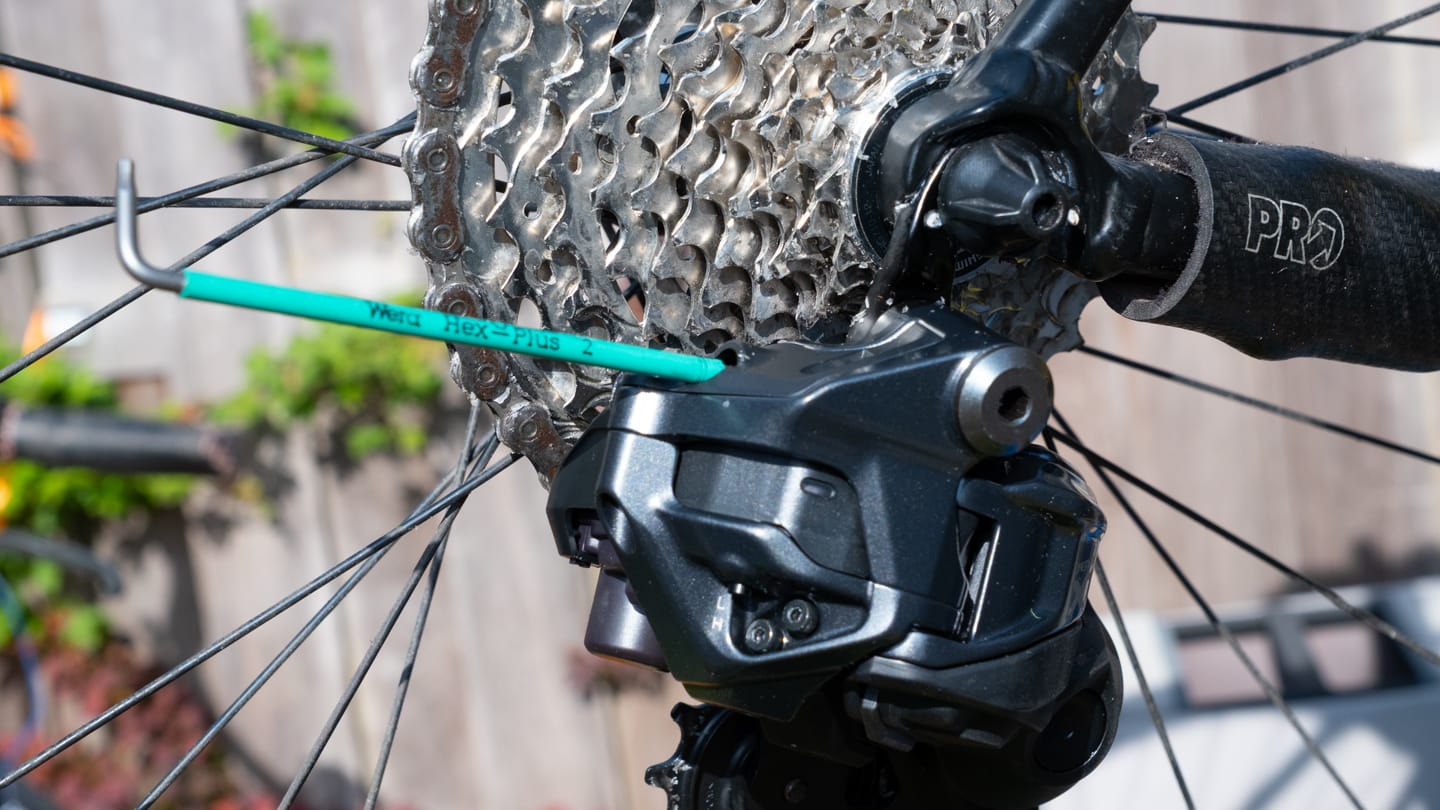
To increase the gap, turn the B-screw clockwise. To decrease the gap, turn it counter-clockwise.
When increasing the gap, it helps to pull the rear derailleur back by hand. Doing so reduces the force needed to drive the b-screw further in.
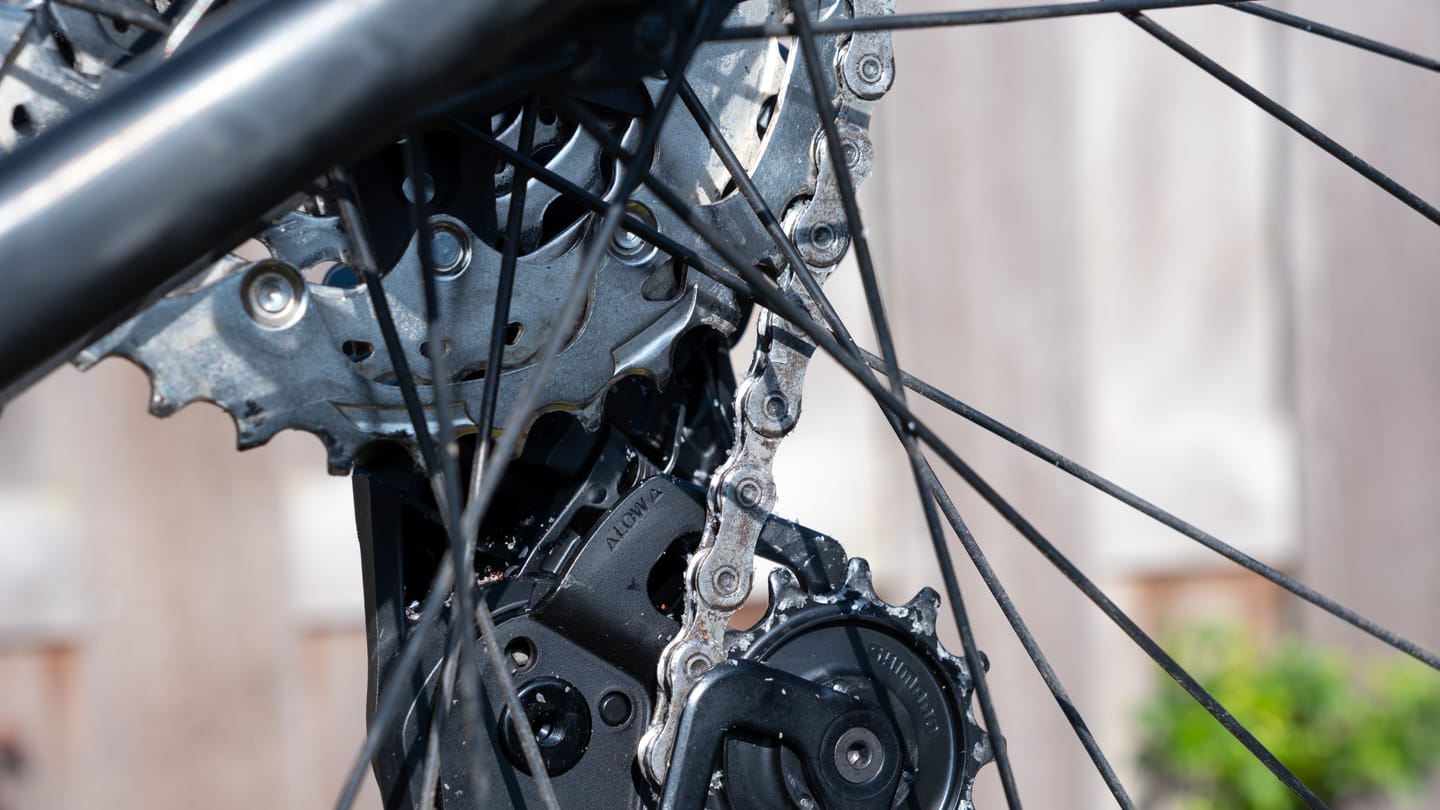
We'll set the limits next, but before doing so, turn the cranks and shift through the gears. Check that the guide pulley doesn't hit the sprockets in any of the gears. If it does, you'll have to increase the gap.
Micro-adjust the rear derailleur
We'll start the micro-adjustment (indexing) process by shifting to the 5th-from-largest sprocket.
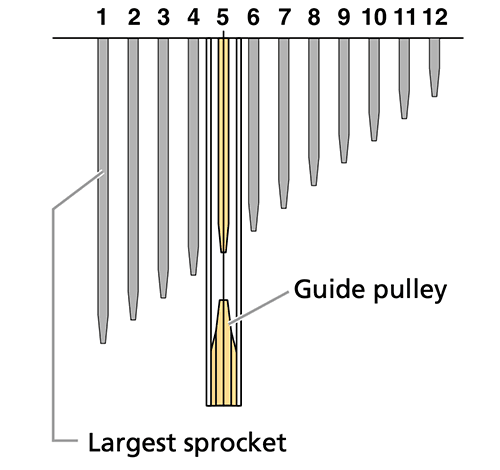
Next we need to trigger adjustment mode. You can do that either using the function button on the rear derailleur, or button A on the shifter.
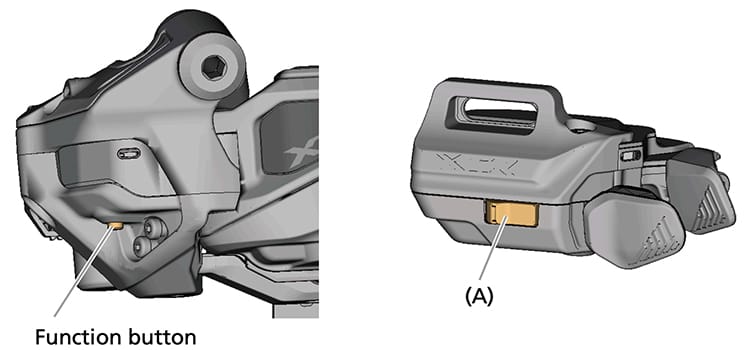
Hold down this button for 2 - 5 seconds and the LED on the rear derailleur should turn yellow.
Now turn the crankset and keep pressing button 'X' to micro-adjust the rear derailleur inboard, until the chain touches the fourth gear, and some noise can be heard.
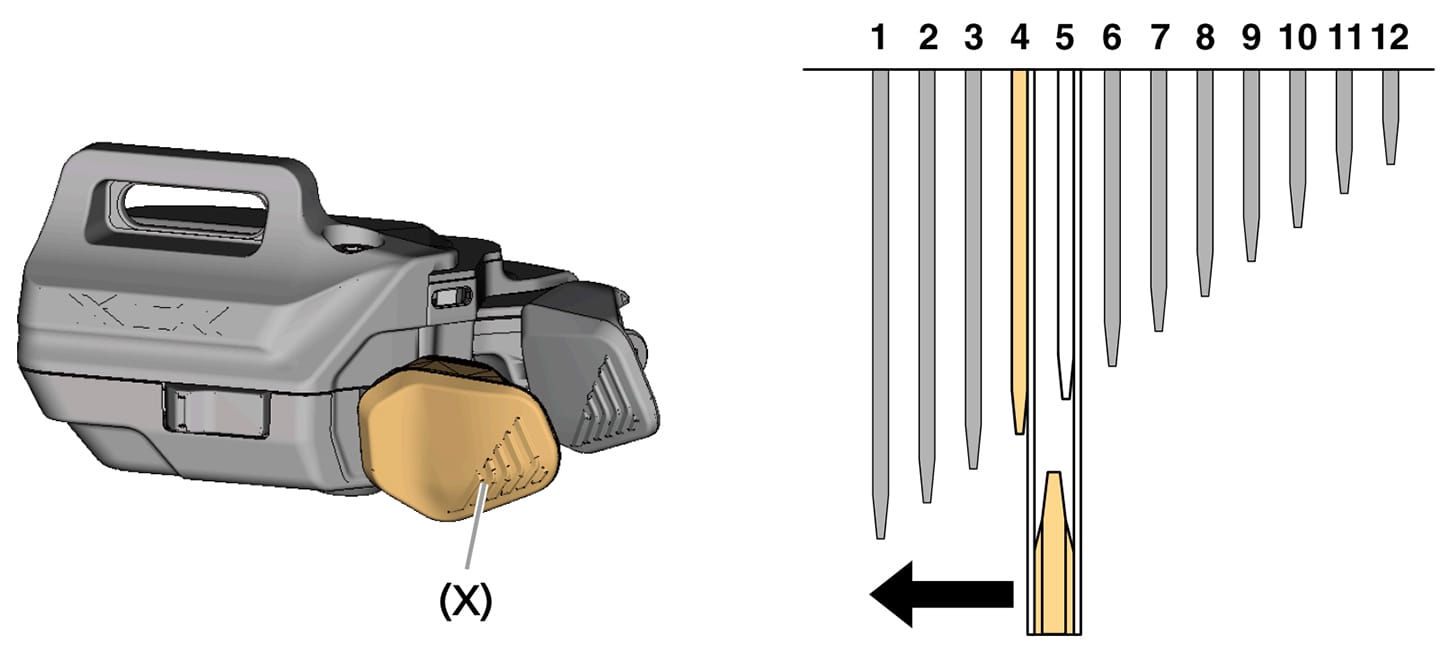
When you hear the noise, press the other button - the one marked 'Y' below - five times. This will micro-adjust the RD outboard five steps.
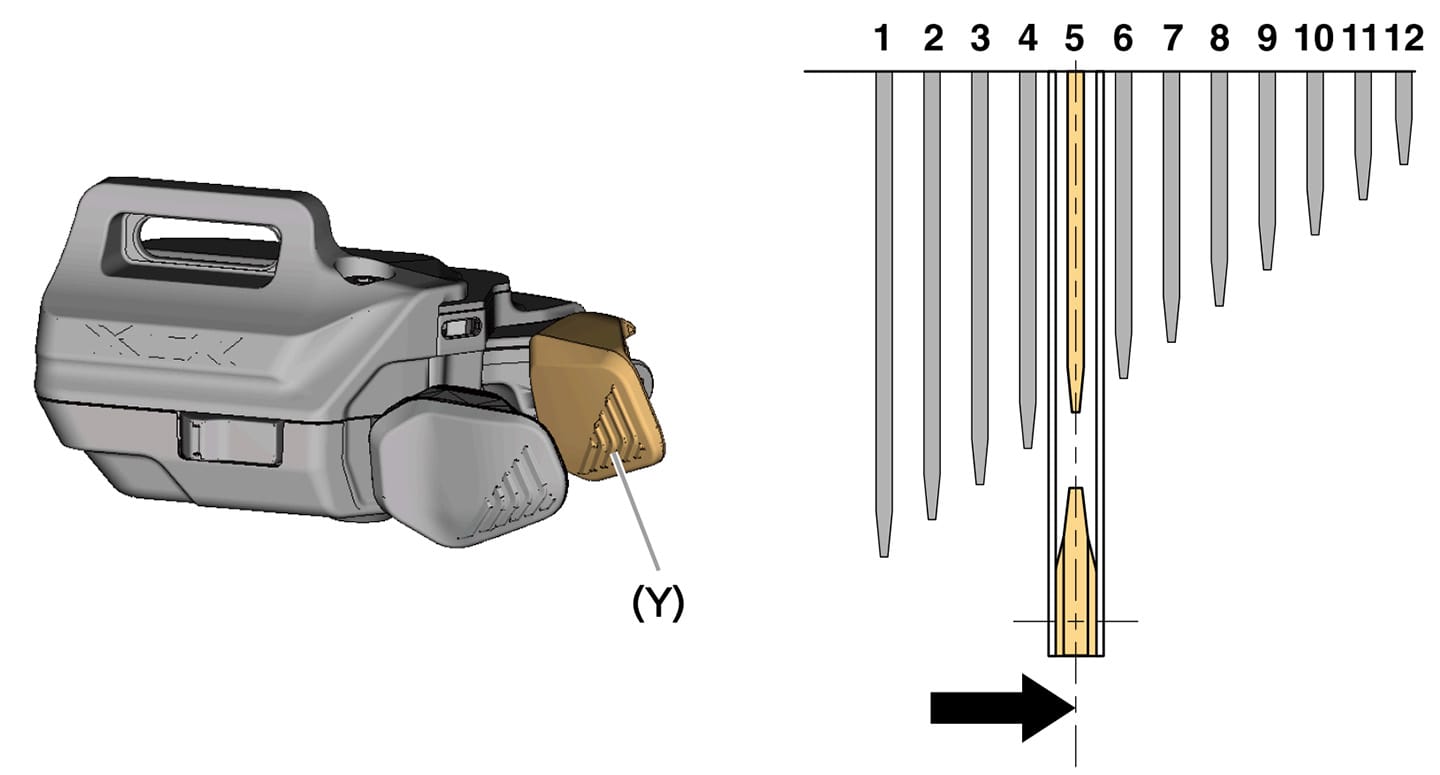
Now exit adjustment mode - you do so by holding down the button on the rear derailleur for at least 0.5 seconds, or the third button on your MTB shifter for 2 seconds or longer.
The LED on the rear derailleur will now turn off, indicating that it has left adjustment mode.
That's it! This is the baseline for the RD adjustment. It should shift through the gears pretty well at this point. Note that we haven't set up the limits yet, so let's do that next.
Set derailleur limits
With the shifting set up, the final step is to set the limits to ensure the derailleur doesn't run into the spokes, or off the other end of the cassette.
Set the low limit
Shift the rear derailleur to the largest cassette sprocket, or the easiest gear.
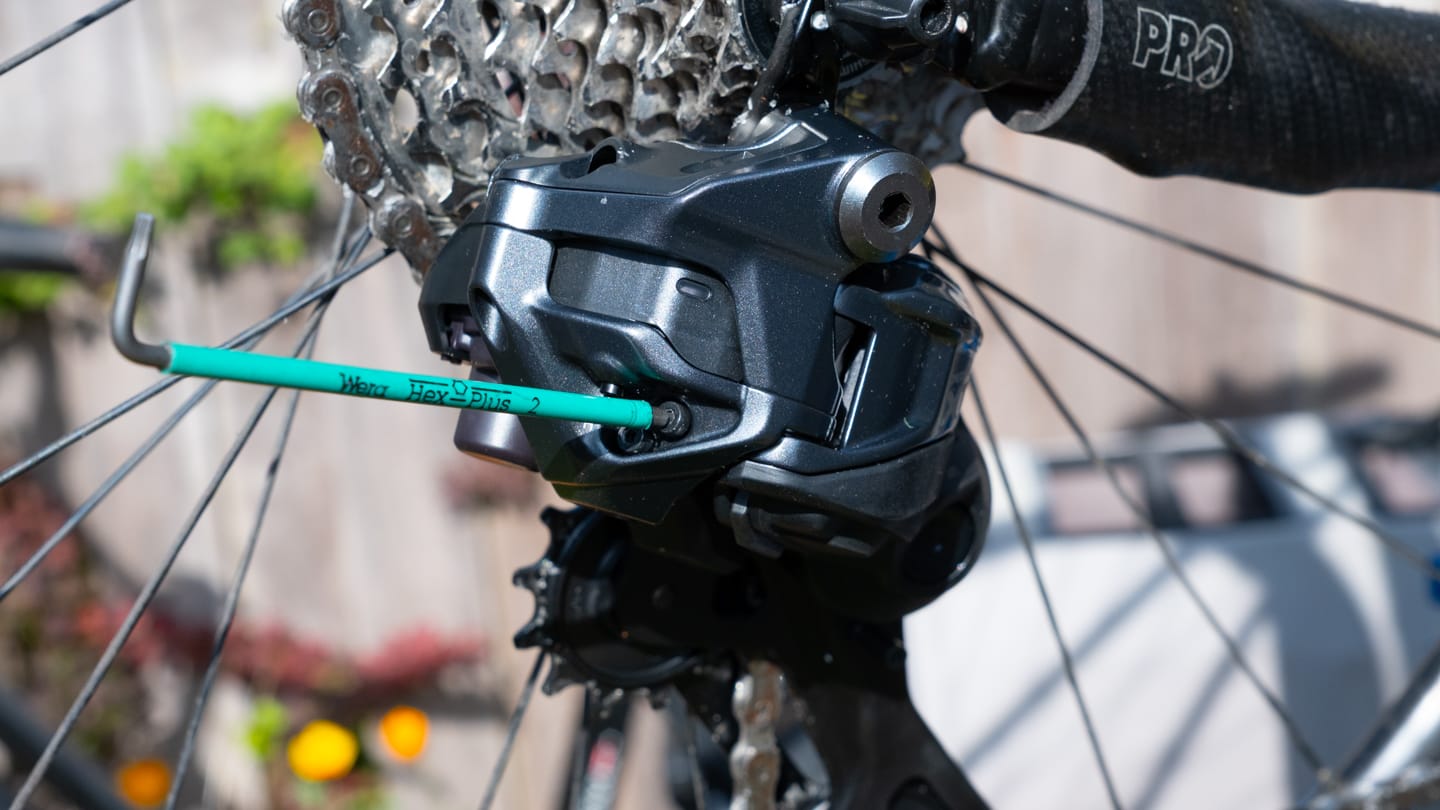
Then tighten the low limit screw until it touches the stopper on the derailleur.
Set the high limit
Shift the rear derailleur to the smallest cassette sprocket, or the hardest gear.
Again, tighten the (H) limit screw until it just touches the stopper on the derailleur.
That's it! Your rear derailleur should now be set up correctly, and shift through all the gears smoothly! If you're having problems setting up your rear derailleur though, leave me a message below or use the contact form.
Related components

About the Author - BetterShifting Terry
If you want to support the site, consider using the site affiliate links, or buying me a coffee.
Buy me a CoffeeComments
Was this page useful? Any questions? Leave a comment below and I'll get right back to you.